

Tap to Pay for Business — Secure, Card-Free Payments Made Simple
Instant approvals, mobile virtual cards, and automatic receipt capture—everything your team needs to buy in-store without slowing Finance down.
One secure digital wallet for all approved business cards
Auto receipt capture right from the payment notification
Instant top-ups & approvals keeps everyone moving without overspend
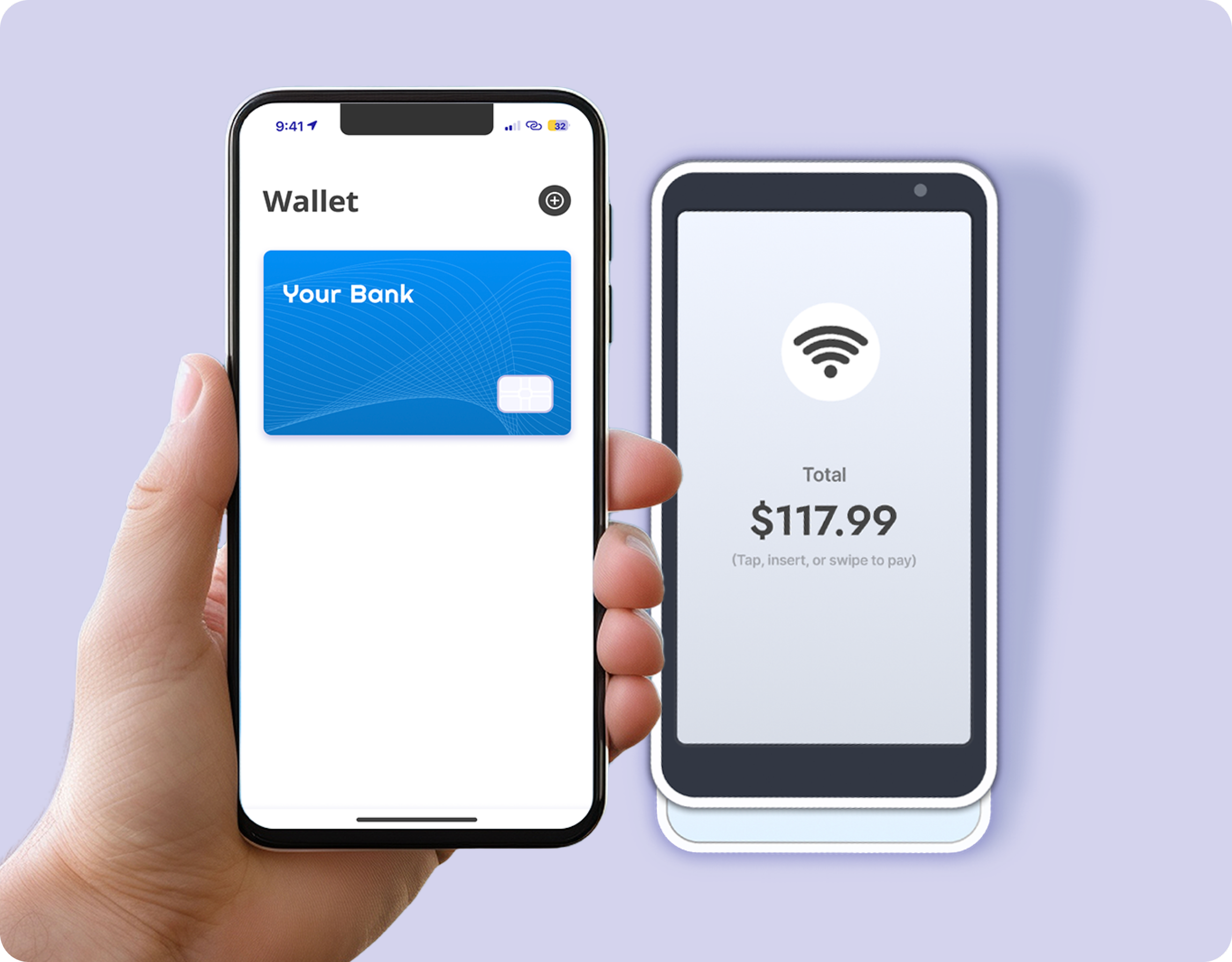
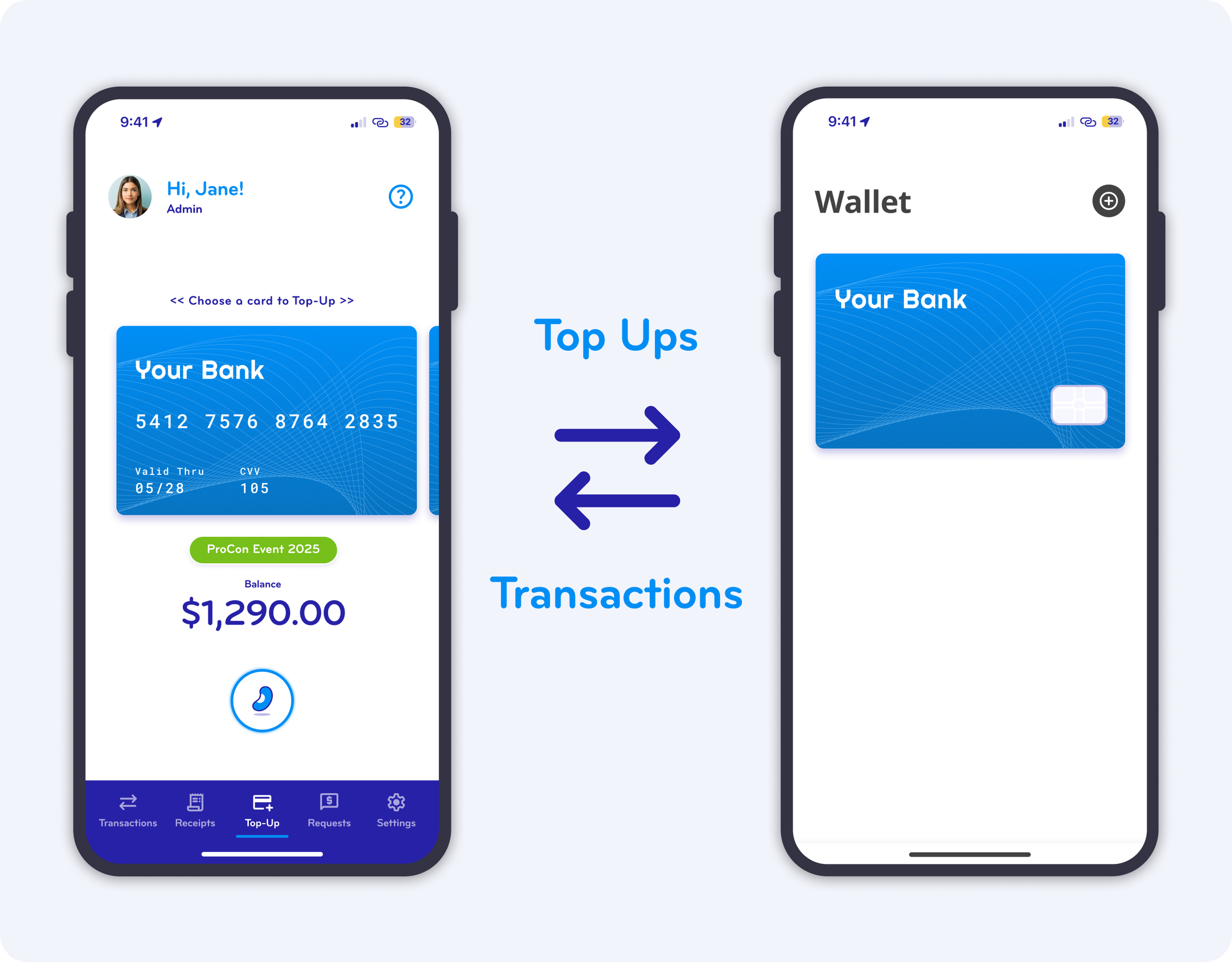
One Secure Digital Wallet for All Your Business Cards
Centralize every approved virtual card in your phone’s secure digital wallet directly linked to your BlueBean mobile app.
Employees simply authenticate on their phone and tap to pay in-store—no physical cards, no waiting for replacements.
All virtual cards are issued by the card issuer and activated instantly.
Capture Every Receipt Automatically — Right From the Payment Notification
As soon as a payment gets authorized, BlueBean triggers a real-time push notification.
Employees tap once, snap a photo of the receipt, and BlueBean autofills all transaction details: merchant, account, amount, date, and card info.
Receipts are matched instantly, giving Finance complete, accurate records without chasing employees.
Top Up Cards Instantly and Stay in Control of Spend
Avoid large preloaded balances. With BlueBean, employees request a top-up from the mobile app and receive a real-time decision based on company spend rules.
Approved amounts update instantly, giving teams the funds they need while Finance maintains tight, live control over exposure.
“Real-time limits. Real-time visibility. Real-time control.”
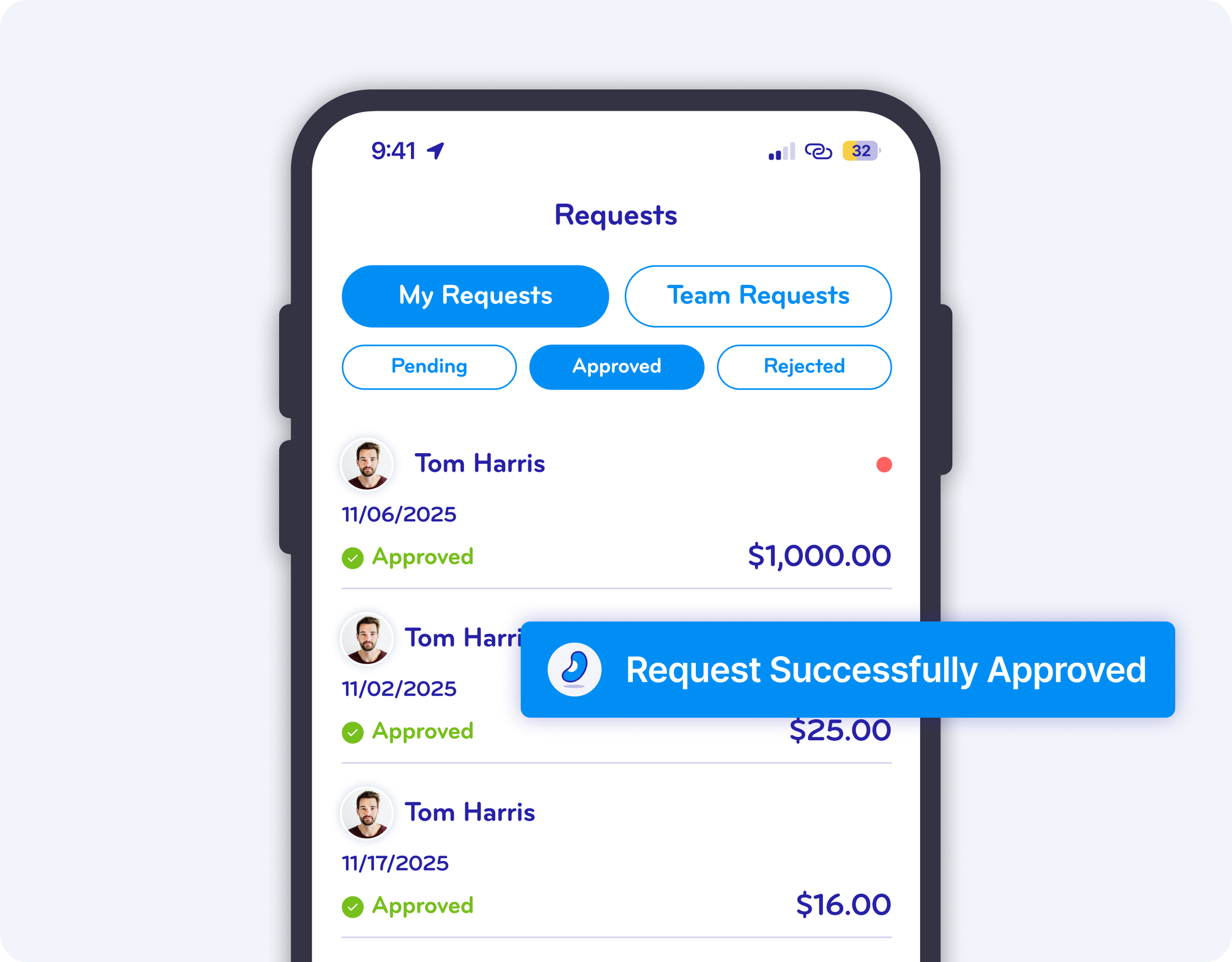
Approve or Get Approved Instantly, Anywhere You Are
Approvers receive push notifications the moment an exception or top-up request needs attention.
All details are displayed clearly, enabling one-click approval or rejection from the mobile app.
Employees can track every request status in real time, eliminating bottlenecks and guesswork.
Easy to Use.
Even Easier to Set Up
Designed with a consumer-grade experience, the BlueBean mobile app installs in one click and is ready to use immediately.
No training required. Users log in, authenticate, and their virtual cards are automatically added to the wallet.
Adoption is instant, and productivity gains start day one.

Step 1
Install

Step 2
Authenticate
Step 3
Tap to Pay
What are in-store purchases with embedded finance?
In-store purchases with embedded finance allow employees to pay in person using secure, card-native payments while financial controls, policies, and budgets are enforced automatically at the moment of payment. With BlueBean, tap-to-pay transactions are approved, funded, and captured in real time — without expense reports, reimbursements, or after-the-fact controls.
BlueBean connects virtual cards directly to mobile wallets, enabling employees to pay just like consumers while finance teams retain full visibility and control. Every transaction is authorized before payment, recorded instantly, and prepared for accounting without manual intervention.
How BlueBean differs from traditional corporate cards and expense tools
Traditional corporate cards allow spending first and attempt to control it later through manual reviews, expense reports, and reimbursements. This approach creates compliance gaps, delayed visibility, and heavy operational work for finance teams.
BlueBean takes a card-native, control-first approach. Spending limits, policies, and approval logic are enforced automatically before the transaction occurs. Payments are executed using secure virtual cards connected to mobile wallets, and receipts are captured immediately after purchase. The result is real-time control, complete auditability, and zero reliance on post-spend enforcement.
When BlueBean is the right solution for in-store spending
BlueBean is ideal for organizations that want to control in-store spending without slowing down employees or relying on manual expense reporting. It is particularly effective for travel, meals, field operations, retail purchases, and any in-person expenses where speed and compliance both matter.
Companies benefit most when they want tap-to-pay convenience combined with automatic receipt capture, real-time transaction visibility, and seamless accounting integration. BlueBean scales from SMBs to enterprises, standardizing how in-store purchases are paid, captured, and controlled across the organization.
FAQ
-
Employees simply tap to pay using the virtual cards stored in their mobile wallet.
BlueBean automatically applies all embedded controls at checkout, ensuring the purchase complies with financial authority, budgets, supplier rules, and spending policies — without requiring training or additional apps. -
No. BlueBean supports card-free tap-to-pay using mobile wallets such as Apple Wallet or Google Wallet.
Employees get secure access to the correct business cards directly in their phone, without needing a plastic card. -
Yes.
The BlueBean wallet organizes all company cards in one place, making it easy for employees to select the correct card for each purchase — especially useful for teams that manage different budgets or cost centers. -
After a tap-to-pay transaction, BlueBean immediately sends a notification prompt asking the user to snap or upload the receipt.
The system then:Automatically matches the receipt to the transaction
Extracts data
Classifies the expense
Syncs it with your accounting system
No manual reconciliation and no missing receipts.
-
Yes.
If an employee needs additional funds or a budget change, managers can top up the card on demand.
The extension of funds is controlled, logged, and linked to your embedded purchasing rules. -
Approvals follow the same logic as online purchases:
If the purchase is within limits, budget, supplier rules, and policy → auto-approved
If an exception is required → real-time approval request (one click)
This enables fast, compliant in-store purchasing without delays.
-
No.
BlueBean is designed for easy setup with:
No hardware required
No POS integration needed
No special installation for employees
Automatic wallet provisioning for eligible users
IT benefits from low maintenance and strong embedded security.
-
BlueBean uses virtual-card-native controls, meaning:
Cards can be restricted by amount, merchant, or category
Cards can be revoked instantly
Every card is tied to rules and budgets
Transactions sync in real time
No physical card numbers can be lost or stolen
This dramatically reduces fraud and misuse compared to plastic corporate cards.

Simplify Every In-Store Payment. Control Every Spend.
Tap to Pay for business with real-time transparency and zero friction.