Product

Spend & Expense Management with Embedded Virtual Card Payment

One Platform to Control Spend, Pay Suppliers, and Automate Expenses

BlueBean brings procurement, virtual cards, and expense automation together in a single platform designed for growing companies. Control every purchase, automate approvals, pay suppliers instantly, and capture expenses with built-in accounting automation.
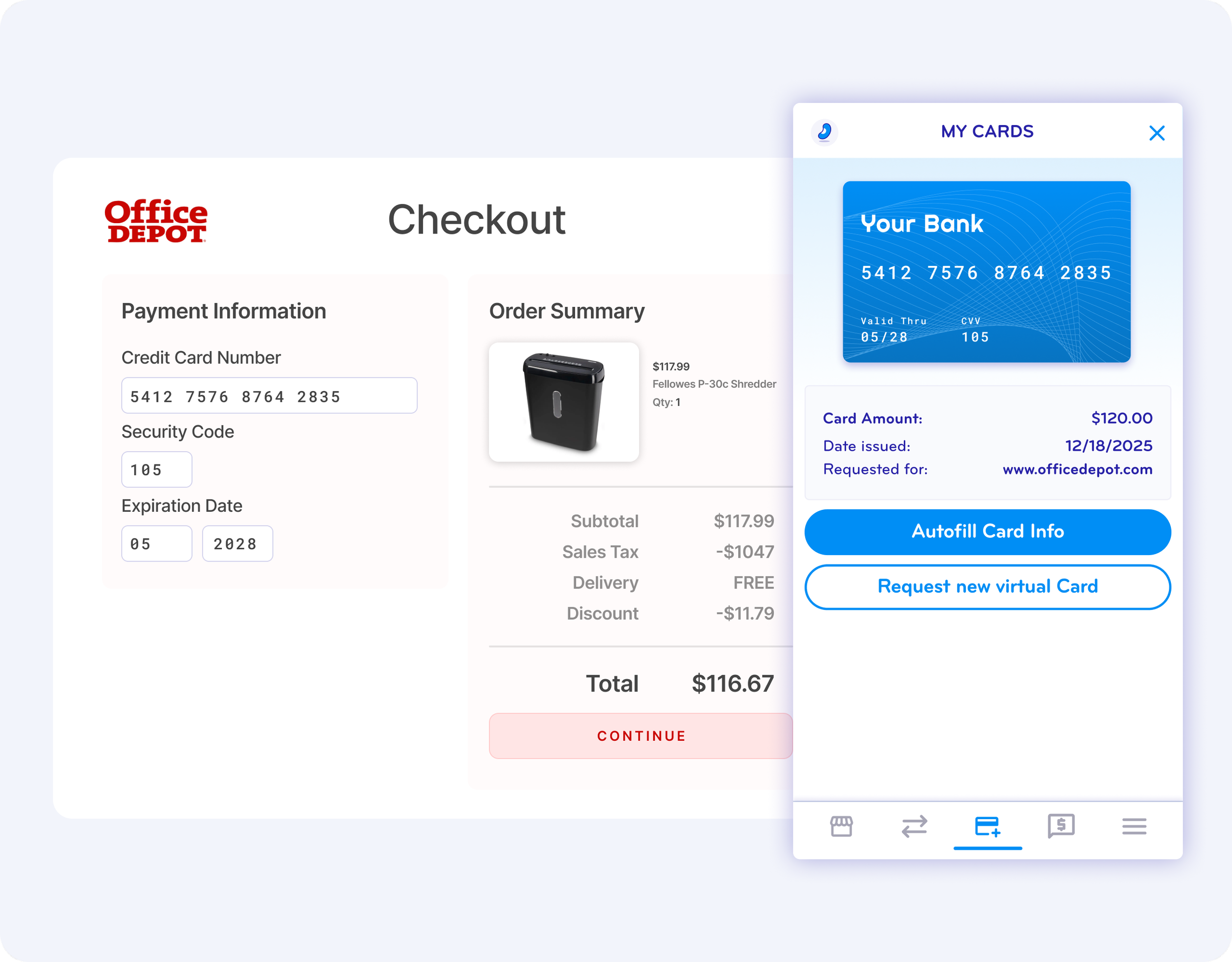

Screenshot of an online checkout page from Office Depot showing payment details, order summary, and an illustration of a shredding machine. A pop-up overlay displays a digital credit card with the label 'Your Bank' and card details.
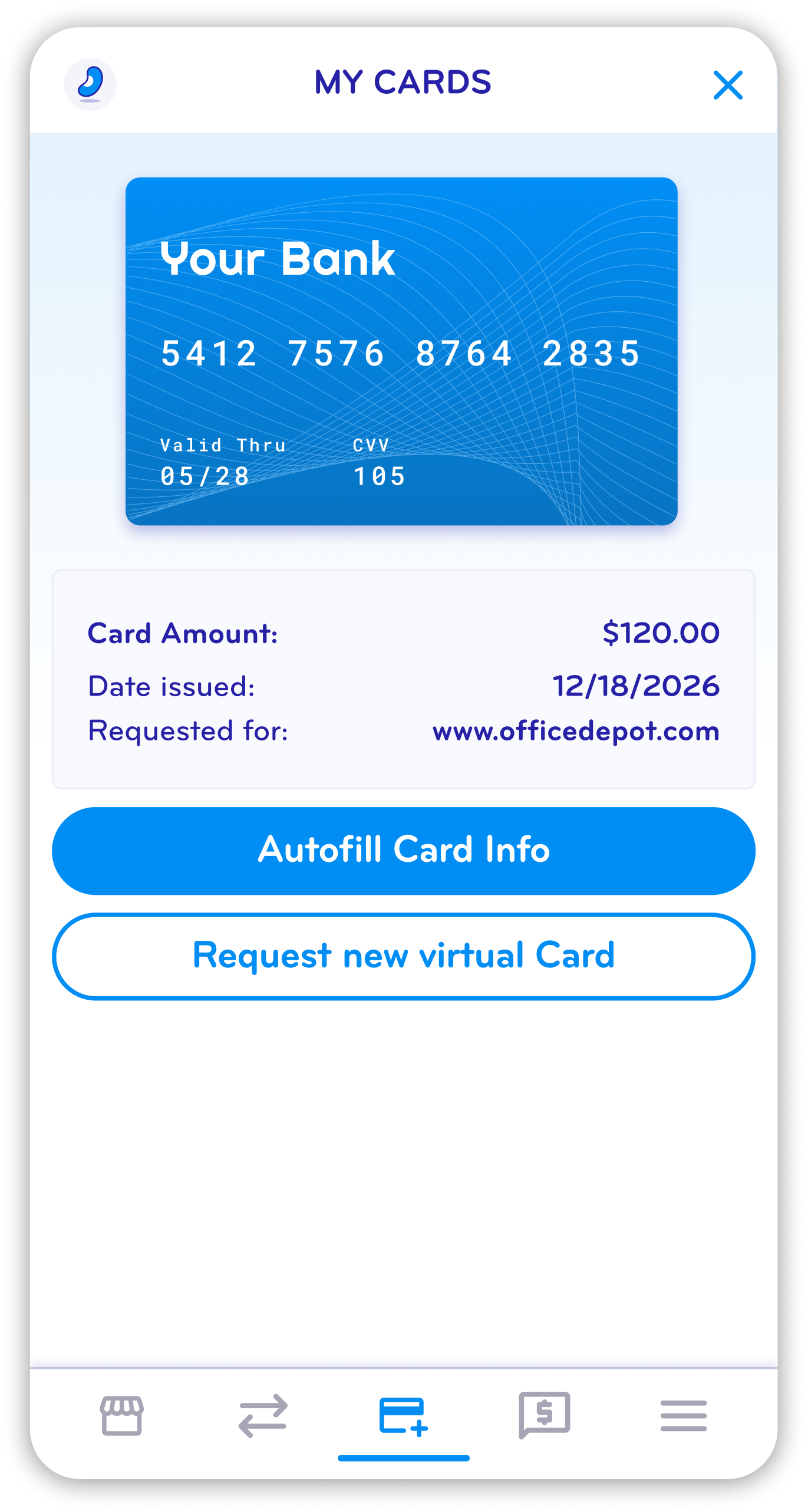
Mobile app screen showing a digital bank card with card details and options to autofill or request a new virtual card.
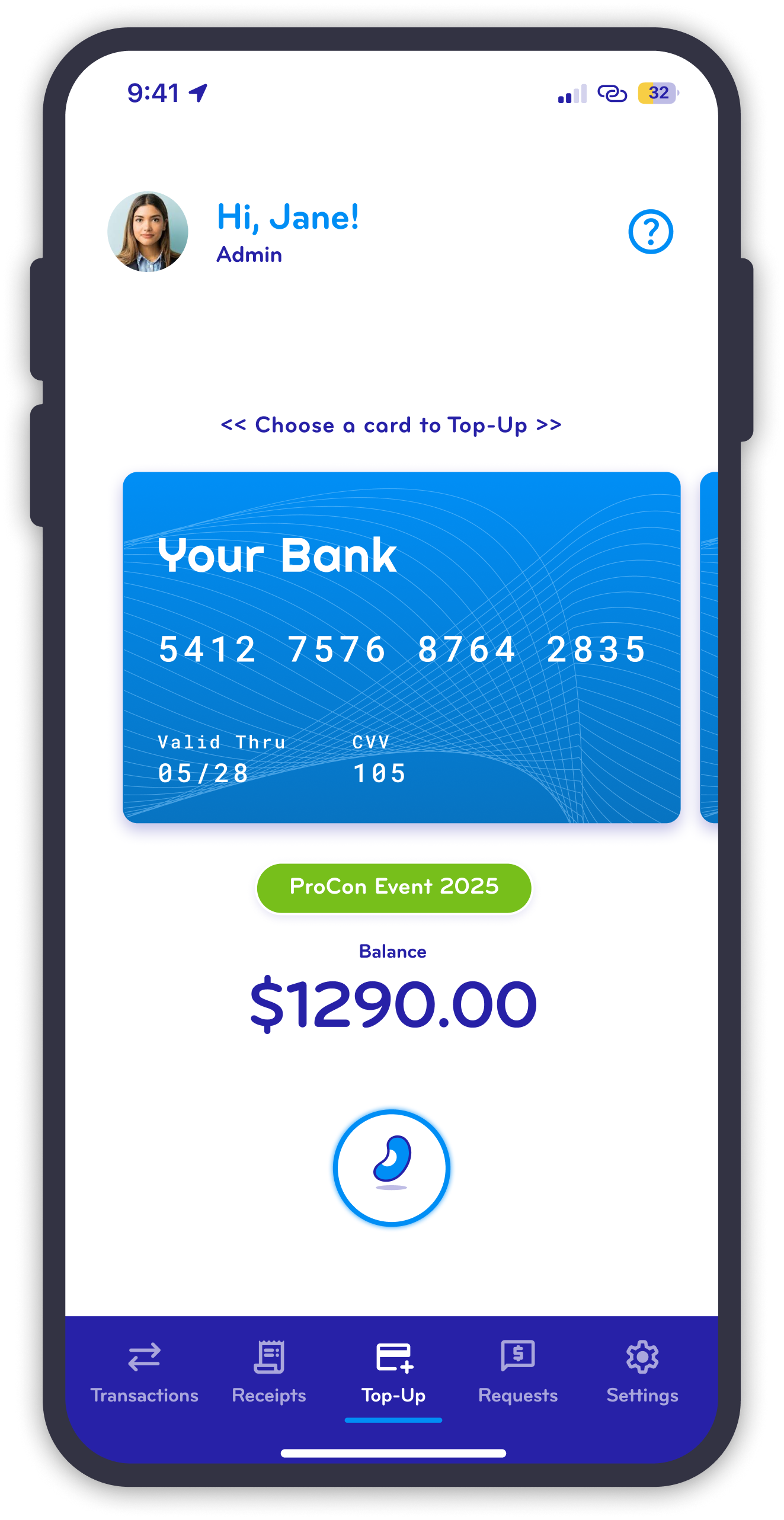
Mobile banking app screen showing a debit card with the balance of $1290.00, a banner for ProCon Event 2025, and navigation menu at the bottom with options for transactions, receipts, top-up, requests, and settings.

What the BlueBean Product Does

BlueBean is a spend and expense management platform that helps finance and procurement teams control company spending from request to reconciliation. Employees make approved purchases using virtual cards for online and in-store payments, while finance teams gain real-time visibility, automated controls, and accounting-ready data.

From procure-to-pay and tail spend to expense management and reporting, BlueBean replaces fragmented tools and manual processes with one streamlined system.
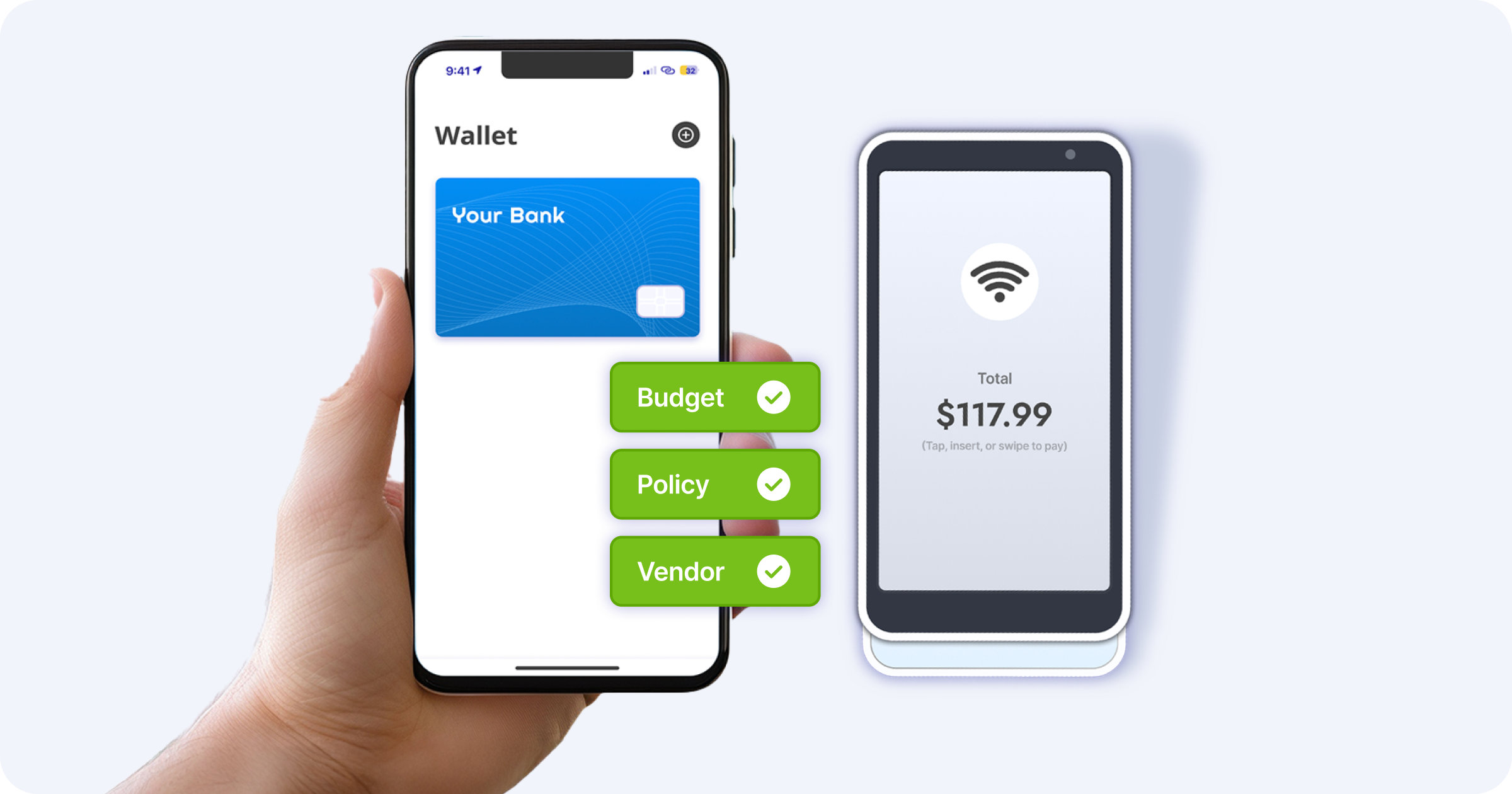
A person holding a smartphone showing a digital wallet app with a blue bank card and green checkmark labels for Budget, Policy, and Vendor. Next to the phone is another phone displaying a contactless payment screen with a total of $117.99 and a Wi-Fi icon.

Core Product Capabilities

Embedded Payments & Purchasing

Buy Anywhere with Built-In Virtual Card Payments

BlueBean enables secure purchasing through embedded virtual cards issued automatically after approval. Employees can pay suppliers online or in-store without sharing physical card details, while every transaction is captured and reconciled automatically.

Learn more:

Online Purchases >
In-Store Purchases >

Expense Automation Animation showing Automate Expenses from Payment to Accounting $0.00 $1.00 $10.00 $100.00

Expense Automation

Automate Expenses from Payment to Accounting

Expenses are captured at the moment of payment, not weeks later. BlueBean automatically collects receipts, matches them to transactions, and prepares expense data for accounting—reducing manual work and errors.

Learn more:
Receipt Capture >
Expense Tracking >
Accounting Automation >

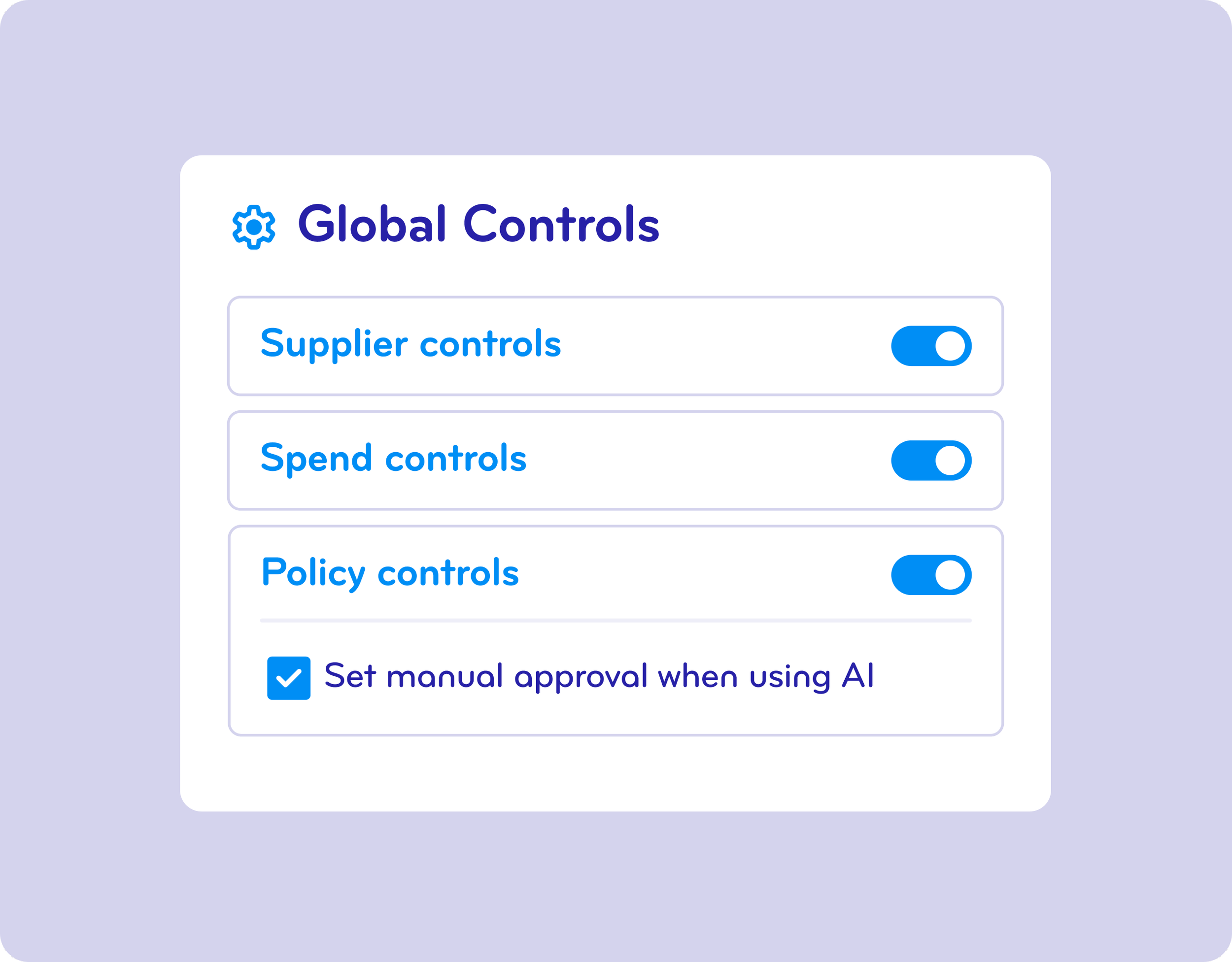
Screenshot of a user interface settings menu showing options for 'Global Controls,' with switch toggles for 'Supplier controls,' 'Spend controls,' 'Policy controls,' and a checked option 'Set manual approval when using AI.'

Approval Workflows & Controls

Enforce Financial, Policy, and Supplier Controls

BlueBean gives finance and procurement teams granular control over how money is spent—without slowing the business down. Approval workflows and controls are enforced before payment, not after.

Learn more:
Financial Controls >
Policy Controls >
Supplier Controls >

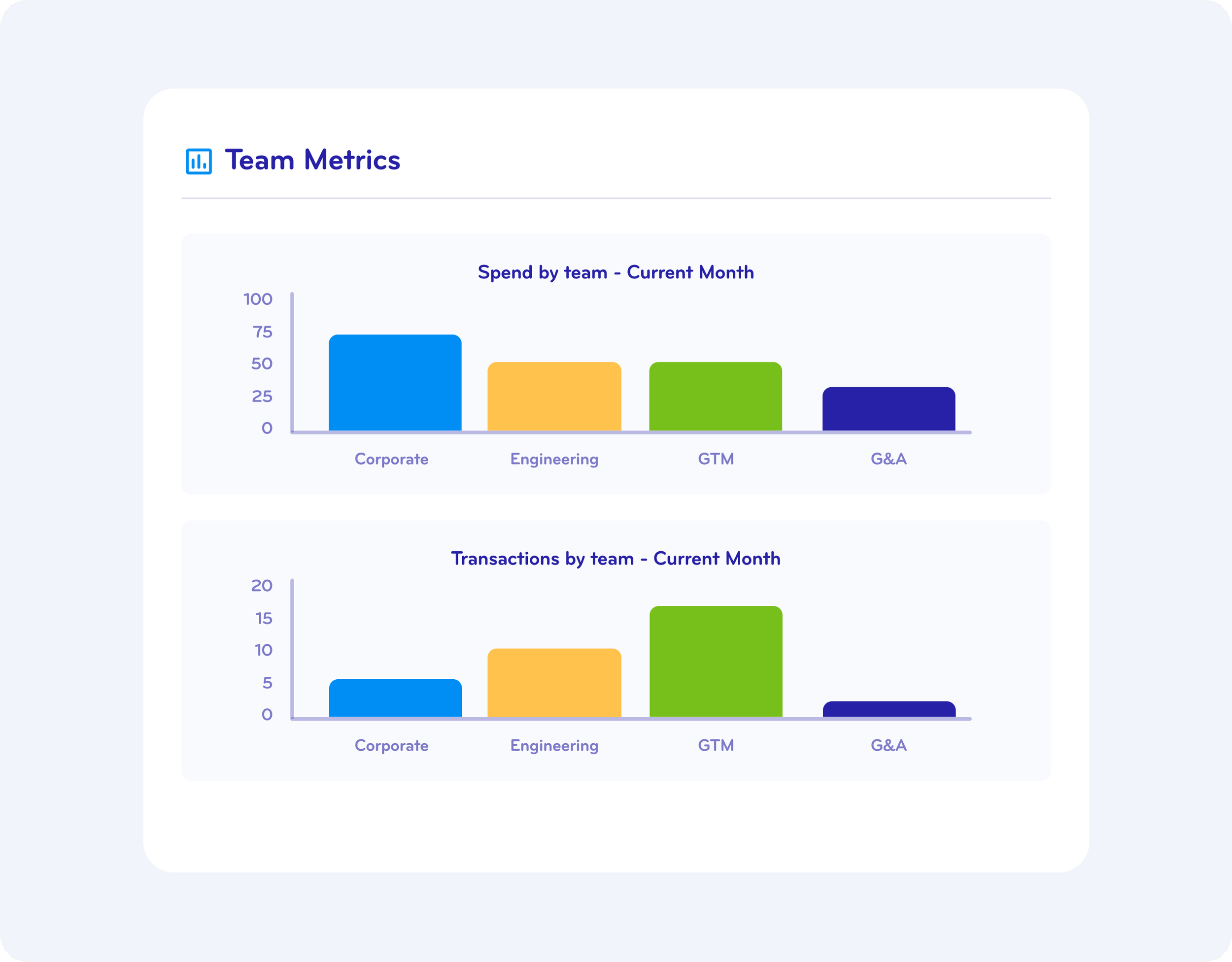
A digital dashboard displaying team metrics, including a bar chart titled 'Spend by team - Current Month,' with categories such as Corporate, Engineering, GTM, and G&A, each represented by a differently colored bar.

Spend Reporting & Visibility

Real-Time Spend Reporting Across the Company

Track spending across teams, suppliers, and categories in real time. BlueBean provides a clear, centralized view of company spend to support better decisions and stronger controls.

Learn more:
Spending Dashboard >

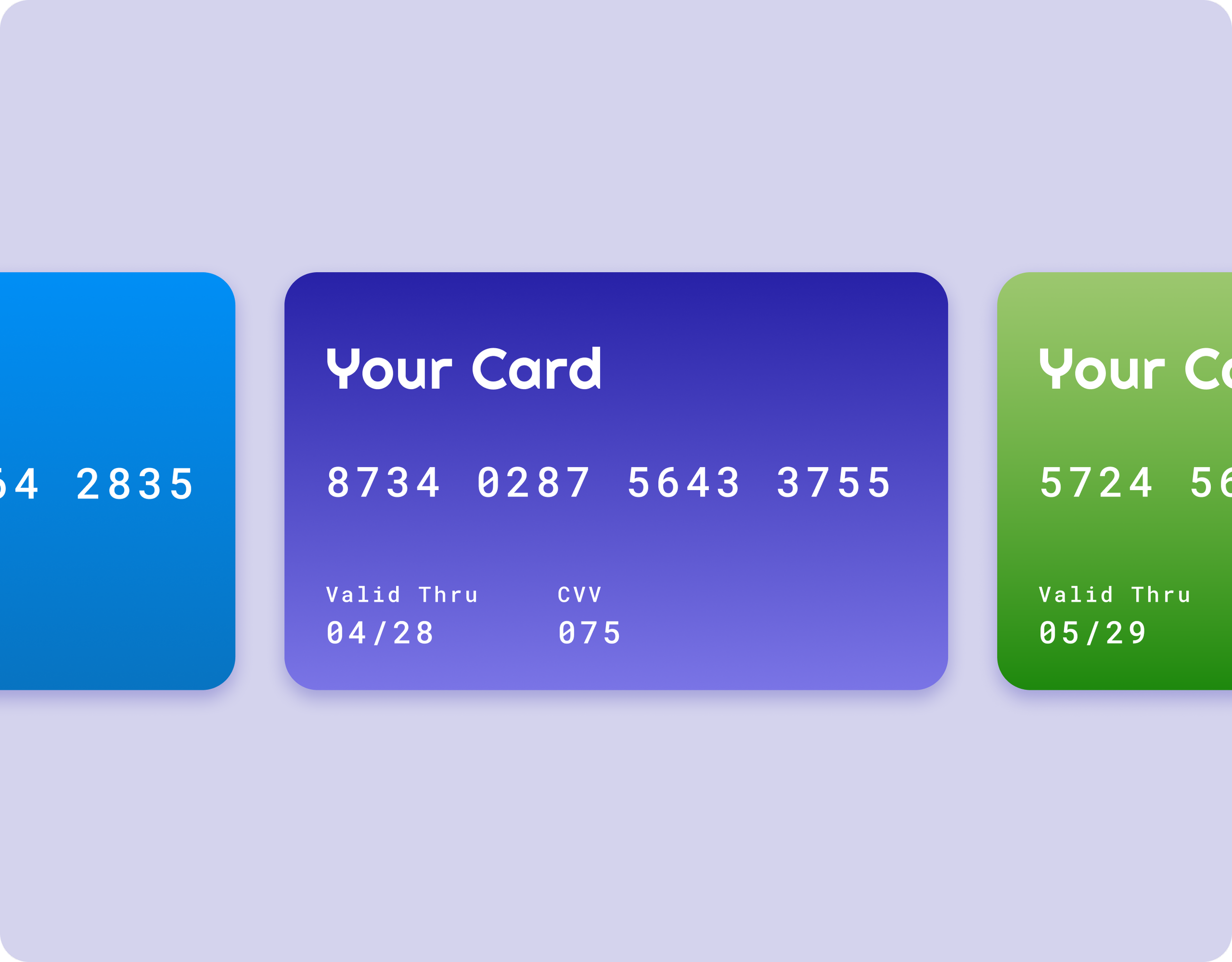
Close-up of three colorful cards, each displaying a different credit card number, expiration date, and valid through date. The cards are blue, purple, and green.

Virtual Cards for Secure Business Payments

Modern Business Payments Built for Control

BlueBean uses virtual cards to replace manual invoices, reimbursements, and unsecured card sharing. Each card is issued for a specific purpose, amount, and supplier—dramatically reducing fraud risk while simplifying reconciliation.

Learn more:

Online Payment >
Mobile Payment >
Card Types >

Which banks work with BlueBean to issue virtual cards?

US Bank logo with a red shield shape containing the white letters 'us' and the blue word 'bank' next to it.
AMEX credit card logo with a blue background and white text.

A Platform Built for Every Spend Flow

Modern Business Payments Built for Control

Control purchase requests, approvals, payments, and accounting in one seamless flow.
Online Payment >

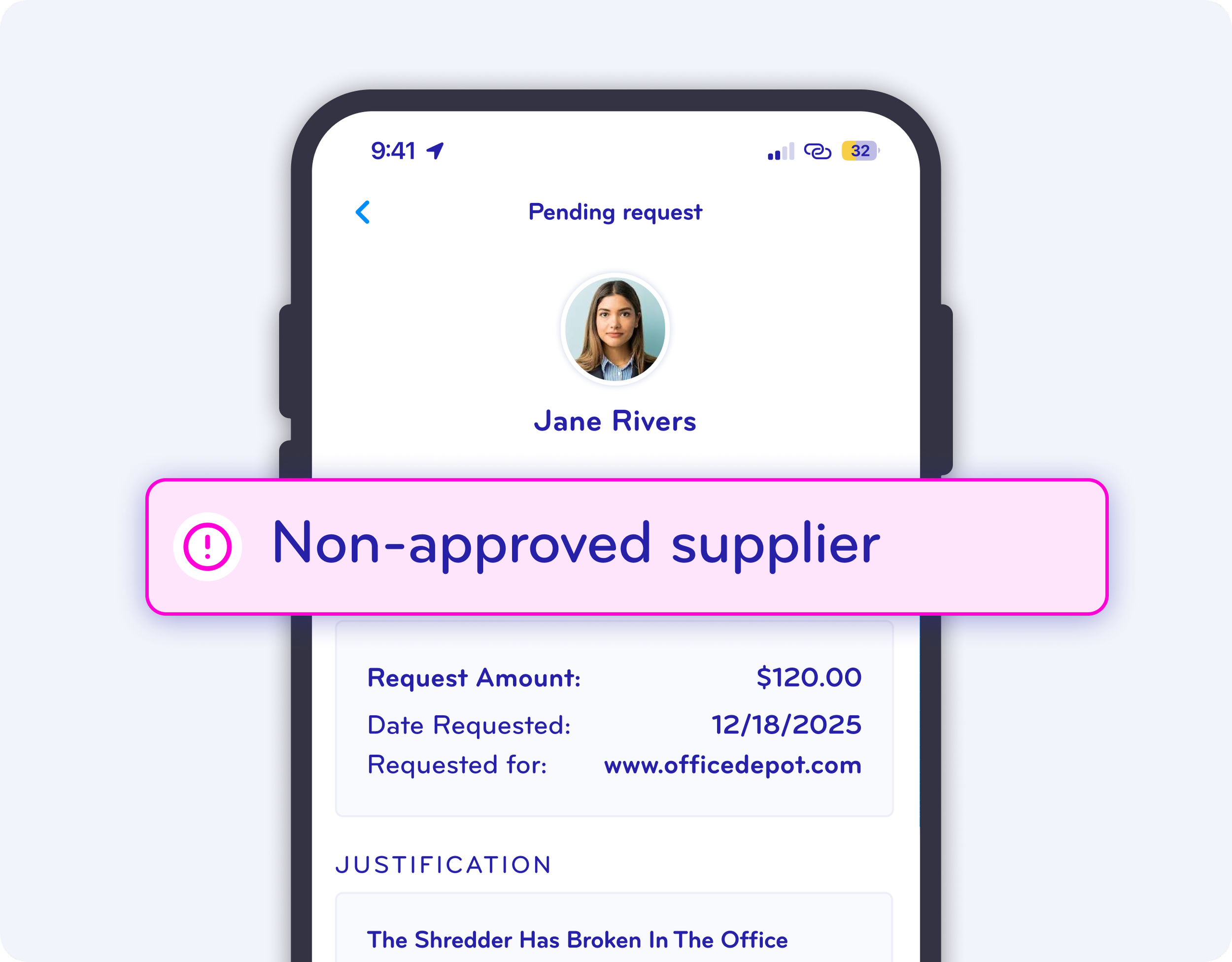
A mobile phone screen showing a pending request with a profile picture of a woman named Jane Rivers. The request is marked as non-approved with a pink warning icon and text.

Tail Spend

Handle low-value, high-volume purchases without complex supplier onboarding.

Tail Spend >

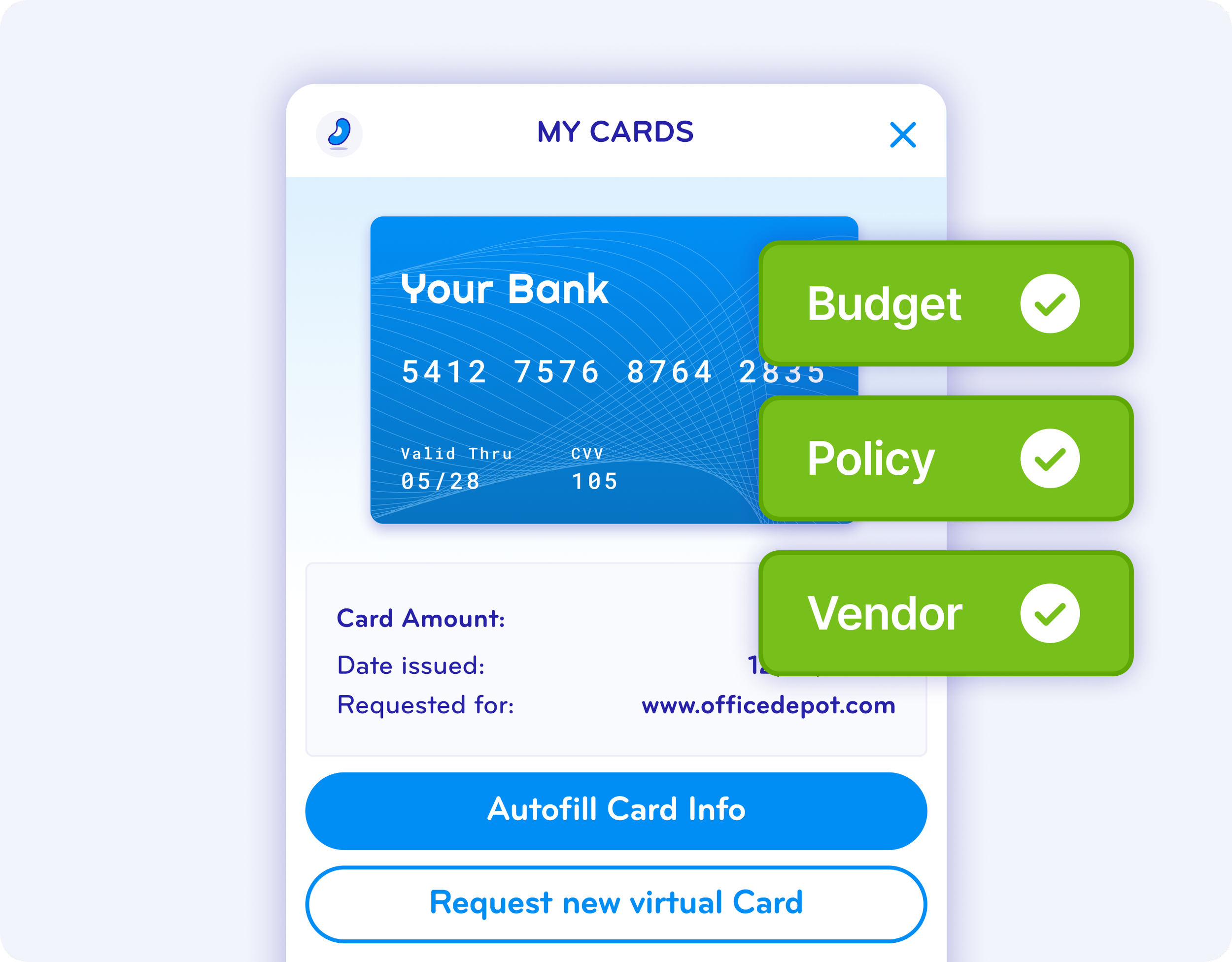
Digital illustration of a virtual bank card with the words 'Your Bank' on it, accompanied by green check marks next to labels 'Budget', 'Policy', and 'Vendor,' and a partially visible webpage with options to autofill or request a new virtual card.

Expense Management

Replace reimbursements with real-time, card-based expense capture.
Expense Management >

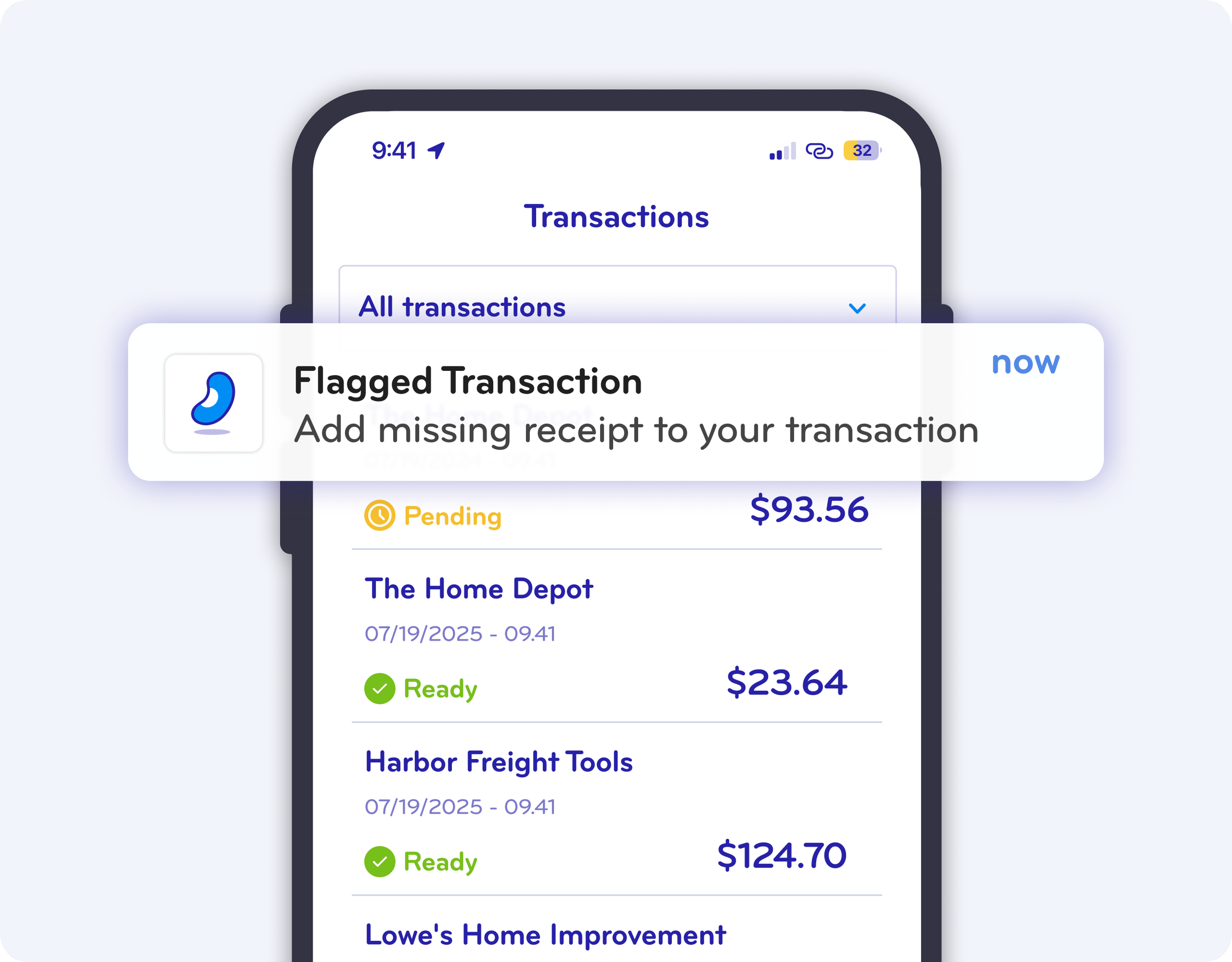
Mobile phone screen displaying a transactions list with details, dates, and amounts, including alerts for flagged transactions and status indicators.

Designed for Finance and Procurement Teams

BlueBean is built for teams that need control, visibility, and speed:

✔ Procurement leaders managing supplier spend

✔ Finance teams enforcing budgets and policies

✔ Controllers and accountants reducing manual work

✔ CFOs gaining real-time spend visibility

✔ IT teams looking for fast, secure deployment
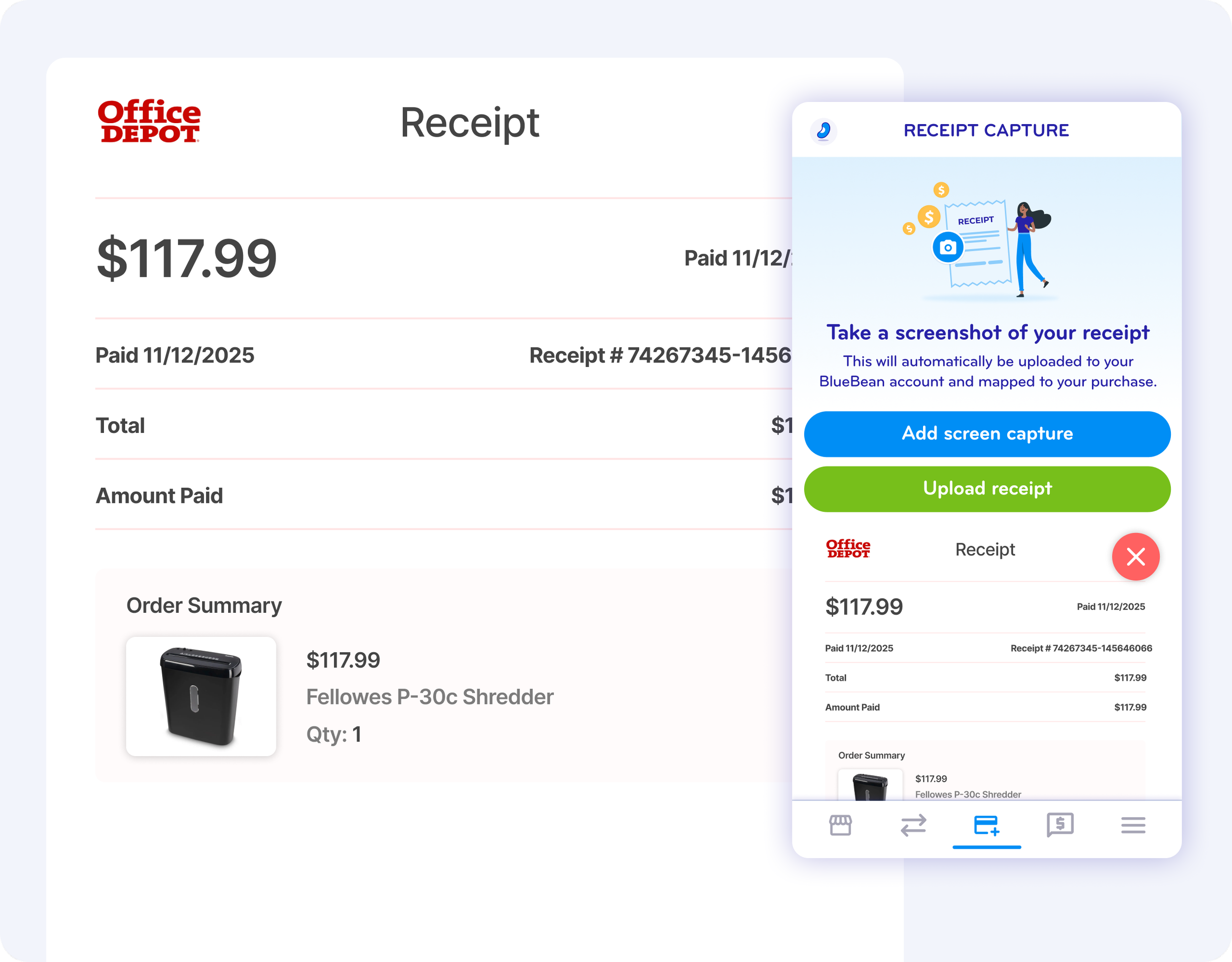
Screenshot of Office Depot digital receipt showing a total of $117.99 paid on 11/12/2025 for a Fellowes P-30c Shredder, with options to add a screenshot or upload the receipt.
Blue arrow pointing to the right.

How the BlueBean Product Works

Purple arrow pointing to the right.
Purple arrow pointing to the right

Step 1

Request or initiate a purchase or expense

Downward arrow icon in purple

Step 2

Approvals and controls apply automatically

Downward arrow icon on a black background

Step 3

Pay with a virtual card (online or in-store)

Downward pointing arrow icon in purple

Step 4

Receipts, expenses, and accounting data are captured instantly

Why Companies Choose BlueBean

Logo for Outdoor Pride Landscape & Snow Management, featuring a snowflake and leaf design in a hexagon with blue and white colors.
Cognitics logo in blue text with the tagline 'an IBM Company' underneath.
Logo of a house outline with the text 'Simplified Management, Inc.' beneath
Logo for BLU Buying Club with the tagline 'Together for more buying power'.
ExocelBio logo with infinity symbol and company name

Faster close with clean accounting data

White square button with rounded edges, featuring a blue check mark inside a circle at the center.

No reimbursements or invoice chasing

Checkmark symbol inside a circle on a digital button.

Embedded payments with built-in controls

A white square button with rounded edges and a dark blue checkmark inside a circle, indicating confirmation or approval.

One platform instead of disconnected tools

A white app icon with a purple checkmark inside a circle in the center.

Simple deployment for small and mid-size teams

Checkmark inside a circle on a white background

See the BlueBean Product in Action

Ready to simplify how your company spends money?