

Ensure Policy Compliance for Every Business Purchase — Automatically
BlueBean ensures every purchase request follows the rules — internal policies, external restrictions, and regulatory requirements — before a single dollar is spent.
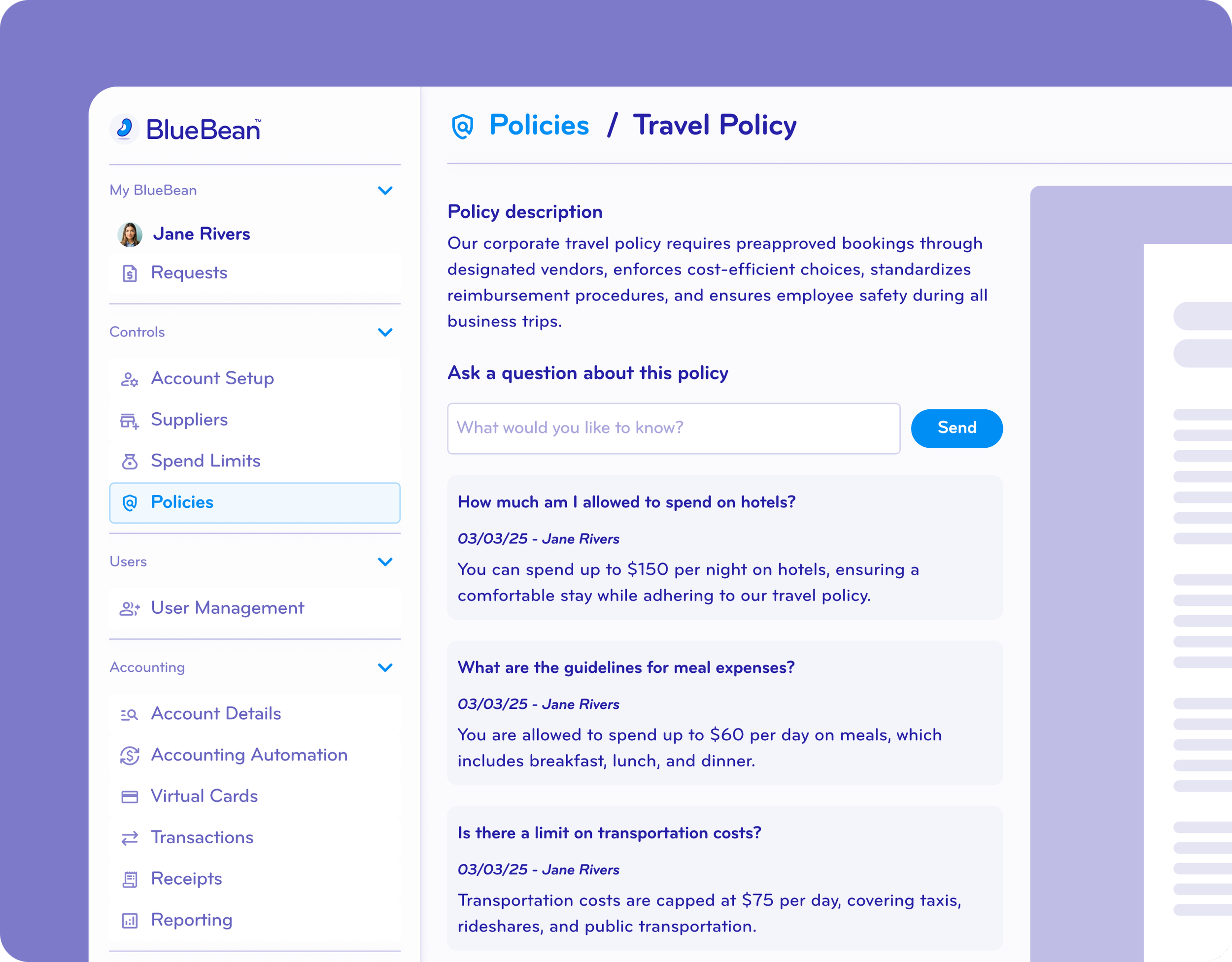
Make Every Company and External Policy Accessible to Everyone
Centralize all procurement, travel, expense, and compliance policies in one place.
Admins can upload any internal or external policy directly into BlueBean, where it becomes instantly accessible to all employees — right inside their purchasing workflow.
No more searching for PDFs, outdated Slack messages, or lost policy docs.
Every employee always sees the latest rules, exactly when they need them.
Upload internal and external policies directly into BlueBean.
Automatically surface relevant policies to employees during purchasing.
Keep every team aligned with always-updated, centrally managed rules.
Eliminate confusion caused by outdated PDFs or scattered document locations.
Give employees instant clarity on what they can and can’t buy.

Know exactly what
your employees see
Scan Every Purchase Against Internal and External Policies
BlueBean’s AI reads, interprets, and applies every uploaded policy automatically.
Whether it’s an internal travel guideline or an external restriction such as vendor blacklists or sanctions lists, BlueBean evaluates every cart in real time — as the request is being made.
If something violates policy, the user is shown why, with the option to cancel the request or provide justification.
This replaces:
Manual compliance checks after the fact
Error-prone "self-certification" questionnaires
Human review bottlenecks
BlueBean enforces policy before approval workflows even begin.
See how real-time policy checks work
Catch Every Non-Compliant Purchase Before Any Money Is Spent
BlueBean blocks non-compliant purchases before virtual cards are issued and before any money leaves the business.
If an exception is truly needed, the user must provide a justification — giving procurement, finance, and compliance teams a clear, auditable trail.
No more surprise purchases. No more rogue spend. No more month-end cleanups.
Prevent non-compliant purchases before virtual cards are issued.
Block requests automatically when they violate internal or external policies.
Require justification for any exception, creating an audit-ready trail.
Stop rogue spend and eliminate end-of-month cleanup work.
Ensure compliance from the moment a purchase starts.
Increase compliance on your Procure to Pay processes ➜
Stop non-compliant spend at the source.
Manually or Automatically Approve Any AI-Led Policy Decision
BlueBean gives you full control over how AI-led decisions are handled.
You can choose to:
Require manual validation for each AI-driven policy decision
Allow automatic approvals or denials based on strict, configurable rules
This lets teams adopt AI responsibly — starting with oversight, then gradually moving toward automated decisioning as trust grows.
BlueBean adapts to your comfort level and evolves with you.
Choose between manual review or automated AI-driven decisions.
Configure rules based on category, budget, risk, or your comfort level.
Start with human oversight and gradually increase automation as trust builds.
Maintain transparency into every AI decision with full audit visibility.
Scale compliance enforcement without adding extra workload.
Start with AI-assisted policies or go fully automated.
FAQ
-
BlueBean makes all company and external purchasing policies available to employees at the moment they buy.
As soon as an employee attempts to make a purchase, BlueBean automatically checks the request against your purchasing policies — ensuring compliance happens before spending, not after the fact. -
BlueBean can enforce any rule that governs online or in-store purchasing, including:
Allowed vs. restricted categories
Preferred or prohibited suppliers
Spend limits
Travel or subscription policies
Department- or role-specific rules
Policies are checked dynamically and consistently at checkout.
-
BlueBean’s AI reads the details of every purchase request — including supplier, cart contents, amount, and context — and automatically compares them to your established policies.
If a purchase is fully compliant, it proceeds instantly.
If not, BlueBean flags the issue before a card is issued. -
If a request is not compliant, BlueBean immediately:
Alerts the employee at the point of purchase
Explains the specific policy conflict
Offer the employee the opportunity to add a justification before routing the request to an approver if the employee wants to go ahead and can justify the exception
Your team is protected from unauthorized spending before it occurs.
-
Yes.
BlueBean supports both manual and automated approvals:If the AI determines a request is compliant → automatic approval
If the AI flags a policy issue → approver can approve or reject with one click
All exceptions are logged to maintain an audit trail
This gives you the perfect balance of automation and human oversight.
-
No.
BlueBean automatically applies policies at checkout, eliminating the need for employees to memorize rules or navigate complex policy documents.
The system simply tells them:Whether the purchase is compliant
If not, what policy it conflicts with
Whether approval is required
Policy controls become effortless and intuitive.
-
Because every purchase request is scanned before money moves, BlueBean prevents:
Unauthorized spending
Human error
Category violations
Supplier misuse
Out-of-scope transactions
This removes the need for finance teams to chase employees weeks after a bad purchase and significantly reduces administrative workload.
-
Absolutely.
BlueBean’s policy engine is flexible and can be updated at any time — allowing your controls to evolve with new products, new teams, supplier changes, or updated company rules.
Take full control of your spend — before it happens.
BlueBean makes policy compliance automatic, proactive, and auditable.