

Spend Only with Approved Suppliers — Automatically
BlueBean ensures every purchase follows your preferred sourcing strategy—without slowing employees down. With automated supplier controls built directly into purchasing and payment flows, teams intuitively buy from approved vendors while unapproved spend is stopped before it happens.
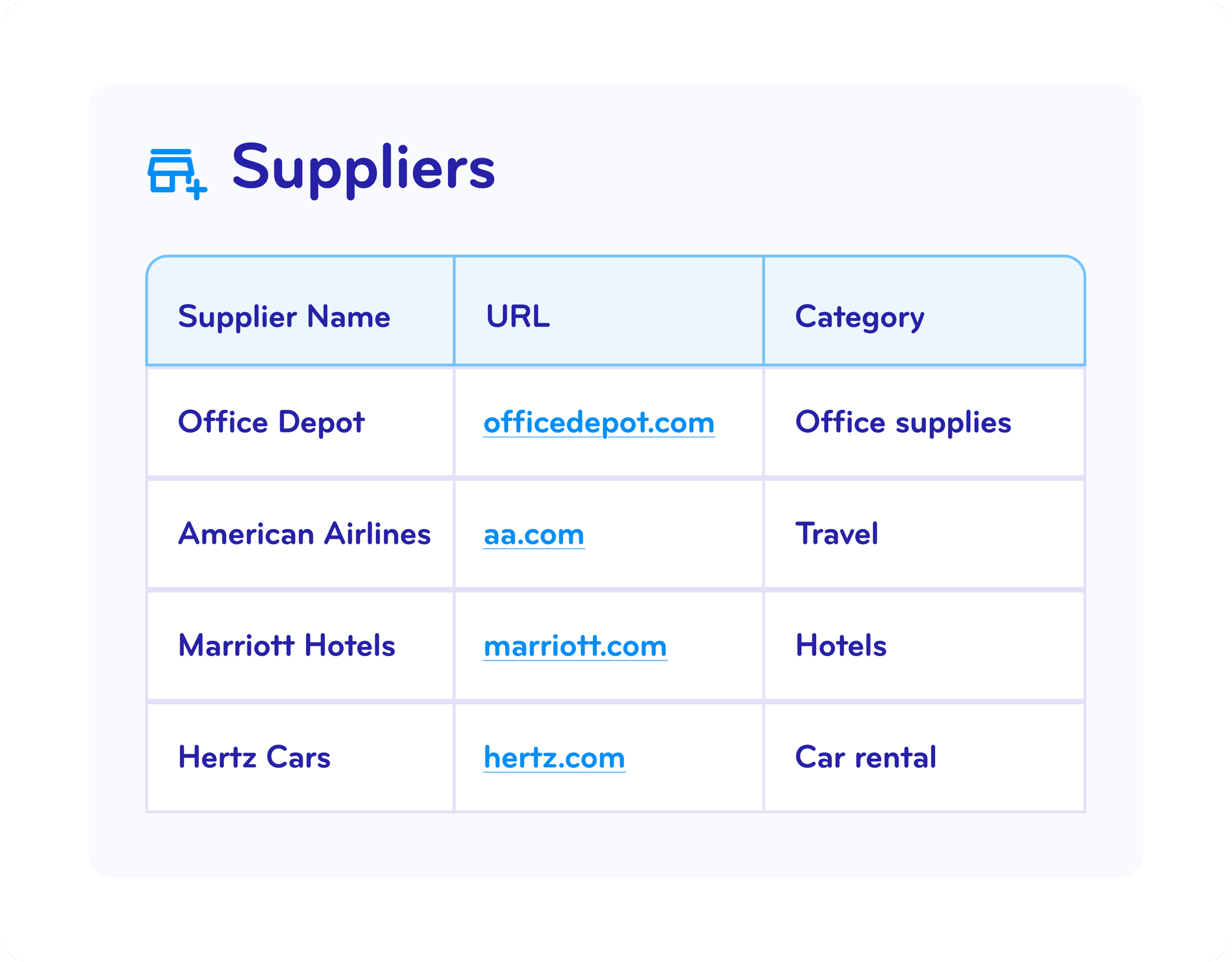
Guide Every Employee to Preferred and Negotiated Vendors
BlueBean makes compliant buying effortless.
Through our browser extension, employees can instantly discover approved suppliers the moment they start shopping online—no portal hunting, no guesswork. With seamless SSO access, they’re taken directly to the vendors procurement wants them to use.
The result:
Higher adoption and compliance through frictionless guidance
Full capture of negotiated supplier savings—no leakage
Immediate impact, because setup is simple and adoption is fast
BlueBean turns your preferred supplier program into the default way your company buys.

Keep employees buying with the right suppliers.
See how supplier guidance works in real time.
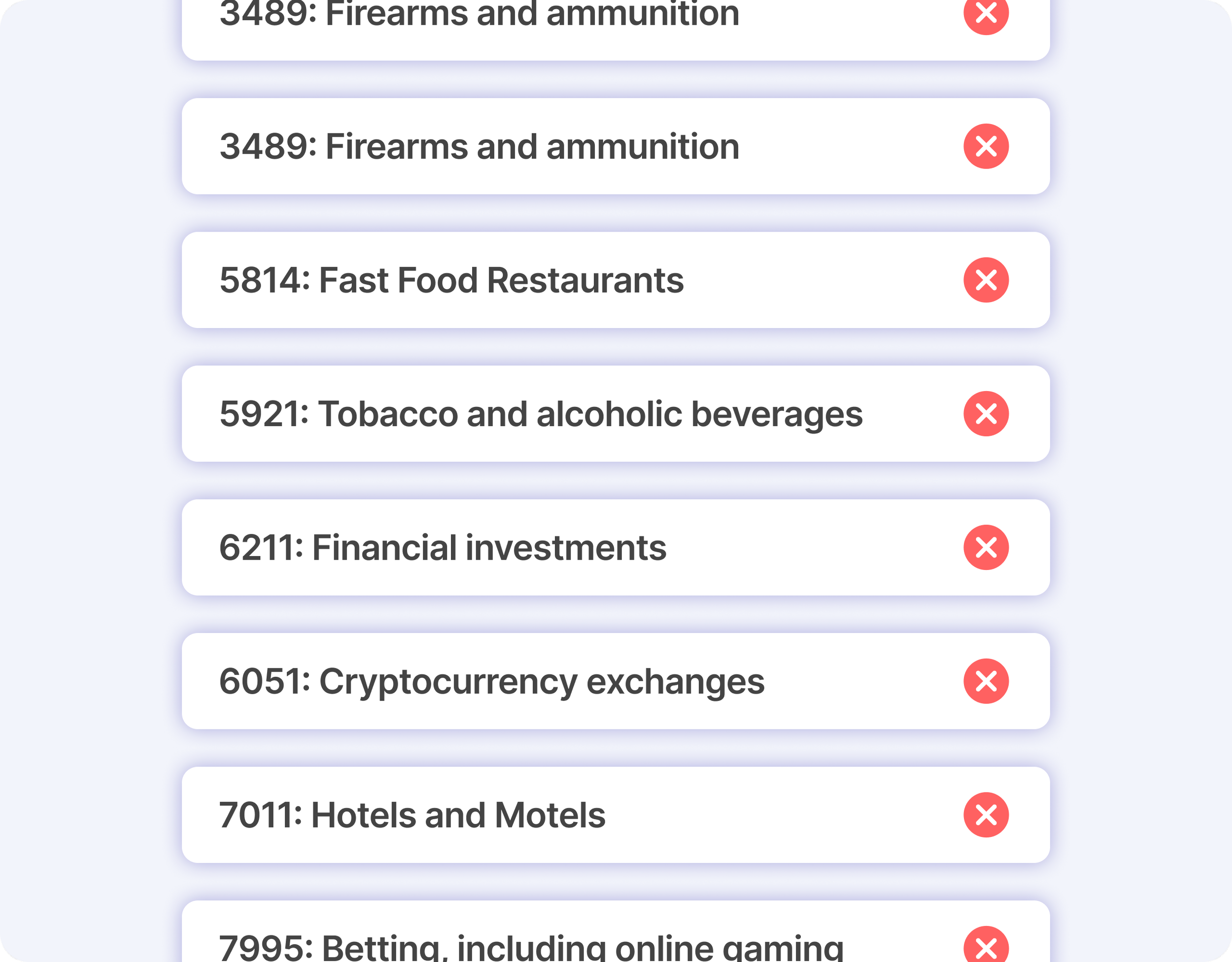
Restrict Unapproved Merchants and Block Unauthorized Spend
Beyond guiding employees to the right suppliers, BlueBean proactively prevents spend with the wrong ones.
Block entire merchant categories for on-the-go purchase and ensure that out-of-policy transactions never slip through.
This eliminates accidental non-compliance and protects your budget from off-contract purchases.
Stop off-policy spend automatically
Configure category restrictions in minutes.
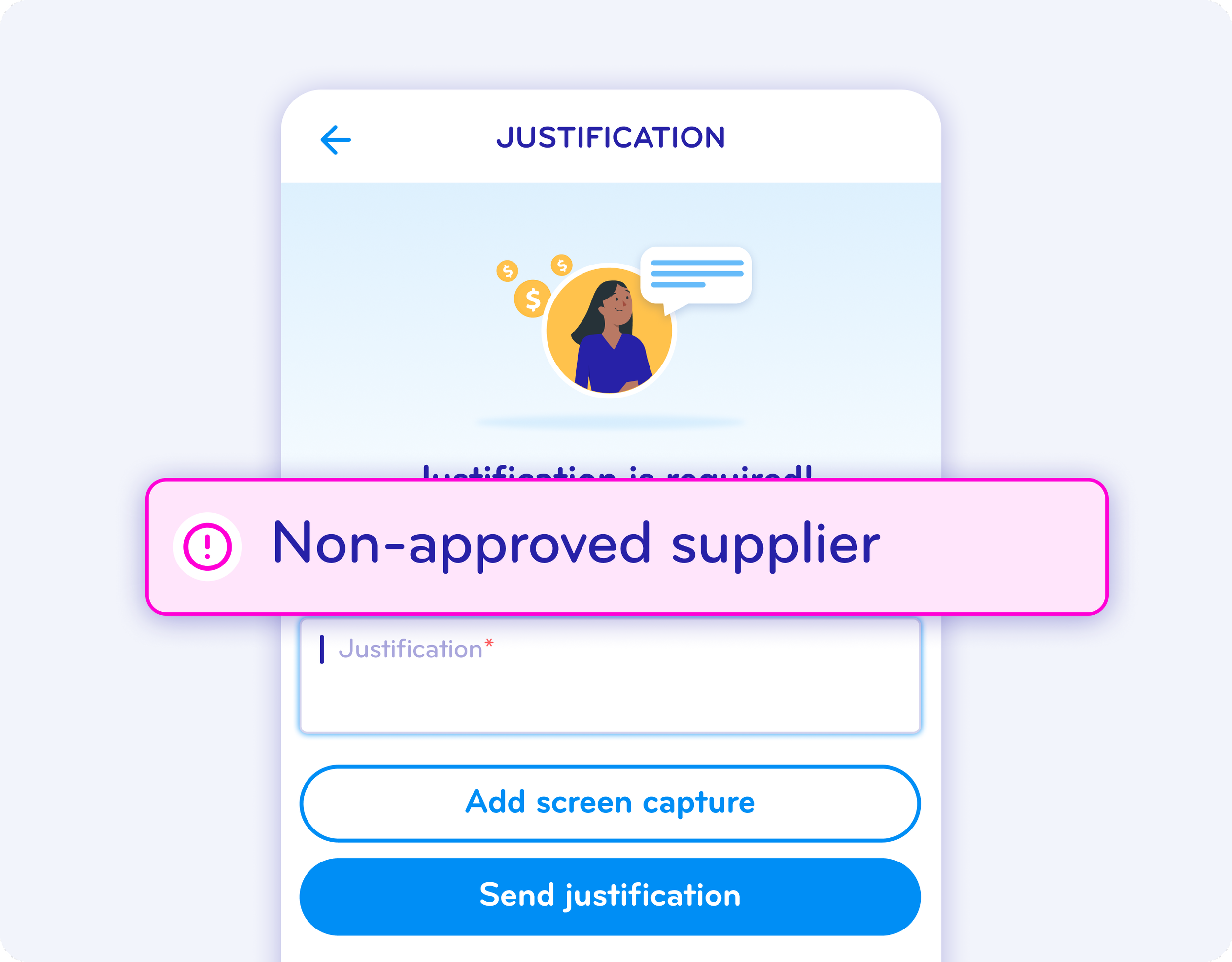
Prevent Spend on Unapproved Suppliers Before It Happens
With controls embedded at both virtual card issuance and payment authorization, BlueBean stops unapproved supplier spend at the source.
Employees simply request a virtual card for their purchase; if the merchant is unapproved, the card can’t be used. No spend checking, no manual follow-ups, no reimbursements—and no awkward conversations for employees who accidentally buy out of policy.
BlueBean keeps your supplier policy airtight, automatically.
See BlueBean’s pre-purchase controls in action.
No more after-the-fact cleanup.
Manage Supplier Exceptions Instantly with One-Click Approvals
Exceptions are inevitable—so we made them easy.
Employees can request approval for a non-preferred supplier in seconds, providing context directly in the platform. Approvers get a real-time notification and can approve or reject with one click.
This keeps purchasing agile while maintaining complete control and traceability.
Simplify supplier exceptions.
Approve or reject requests instantly—right from your inbox.
FAQ
-
BlueBean’s browser extension displays all preferred suppliers under its “Stores” menu and users searching within the extension are first prompted to use any available preferred supplier.
Users see the approved vendors your company supports and can quickly navigate to the right one — eliminating guesswork and ensuring consistent supplier usage. -
No integrations are required.
You simply add supplier URLs, and BlueBean handles the rest.
Your team can shop directly on supplier websites while BlueBean applies supplier rules and spending controls automatically. -
BlueBean checks every purchase request at checkout.
If the supplier is not approved BlueBean blocks the purchase before any payment occurs, preventing unauthorized spending and supplier misuse. -
Yes.
While preferred suppliers are promoted first, employees can still search the broader web when needed.
BlueBean automatically enforces:Supplier restrictions
Category rules
Merchant-level controls
…even when employees buy outside the preferred list.
-
BlueBean eliminates the need for training or catalogs.
Employees simply shop as usual, while BlueBean:Shows the correct suppliers
Flags unapproved vendors
Enforces supplier policies
Blocks non-compliant merchants
Issues virtual cards only for approved purchases
Supplier compliance becomes automatic and repeatable.
-
BlueBean handles exceptions with a one-click approval workflow.
If an employee needs to purchase from an unlisted or restricted vendor, the request is routed to the appropriate approver with all relevant context.
Approvers can approve or reject instantly. -
Absolutely.
You can add or modify supplier rules at any time, and BlueBean updates enforcement instantly.
This works for SMBs with a simple vendor list or enterprises managing thousands of suppliers. -
By controlling supplier usage before purchases are made, BlueBean removes:
Post-spend policing
Manual supplier compliance reviews
Rejected invoices
Off-contract buying
Back-and-forth corrections
Procurement teams gain real-time visibility and spend discipline across every employee.
Take Control of Your Supplier Spend—Without Slowing Teams Down
BlueBean guides employees to preferred vendors, blocks unapproved purchases, and prevents non-compliant spend before it happens. No spreadsheets. No chasing receipts. No policy policing.